Showing posts with label tools. Show all posts

Monday, December 26, 2011

Find Big (G)Mail - Have you run out of space for your Gmail account?

Find Big Mail - Have you run out of space for your Gmail account?:

Find big emails in your Gmail to get your space back!

Security is important to us. We only see the size of your emails, not their contents, and we never see your password.

Who else is using Find Big Mail?

Huffington Post uses FindBigMail.com to reclaim Gmail storage and stay within their quota.
Gawker.com uses FindBigMail.com to find the emails using up their Gmail space.
Long Tail Video uses FindBigMail.com to avoid Gmail out of space issues.
Southern Web Group @southernweb
We just saved $450 in Google Apps fees using @findbigmail.
Anthony de Rosa @antderosa
A rare endorsement from me, totally unpaid and totally appreciated: FindBigMail.com helped me reduce my Gmail storage by over 50%. THANK YOU
Jon Kubis @jonkubis
Yay!! @FindBigMail fixed my recurring Gmail out of space problems. Wow. Just wow. Thanks guys!
Digital Inspiration @labnol_blog
If you find the workarounds complicated, there's an even simpler method now that won't even require you download or install anything - it's called findbigmail.com
'via Blog this'

Monday, December 19, 2011

Scribbles for Gmail for mobile - a creative way to email, courtest of Gmail Blog

Didn't know this was in the works, I can think of many good uses for easily sending rough diagrams - pretty cool!

Cheers,
Connie L. O'Dell
Sr. Verification Specialist
c.odell@co-consulting.net
303-641-5191
_____________________________________________
CO Consulting - Boulder, CO - http://co-consulting.net


---------- Forwarded message ----------
From: The Gmail Team <gmailteam@google.com>
Date: Mon, Dec 19, 2011 at 10:12 AM
Subject: [Official Gmail Blog] Scribbles for Gmail for mobile - a creative way to email
To: gmail-blog-posts@googlegroups.com


Posted by Donna Dupuis, Software Engineer

From prehistoric humans etching in caves to the modern-day thinker sketching a stroke of genius on a napkin, scribbling is a natural form of human expression. Not constrained by formatting or font styles, scribbling is a versatile outlet for expressing individuality and creativity. Not to mention it's a lot of fun.

Now you can quickly convey that eureka moment to a colleague, or simply brighten a loved one's day with a personal scribble in Gmail for the mobile web browser and the Gmail app for iOS. In the compose view, click on the scribble button to open up the drawing window. A lightweight interface makes it easy to get your idea down.

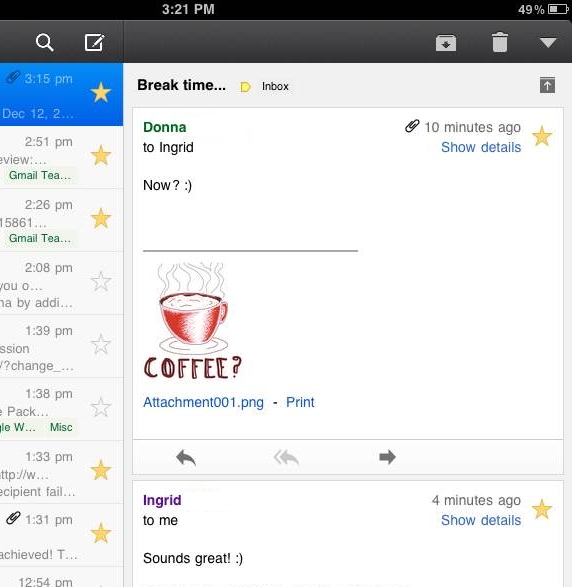
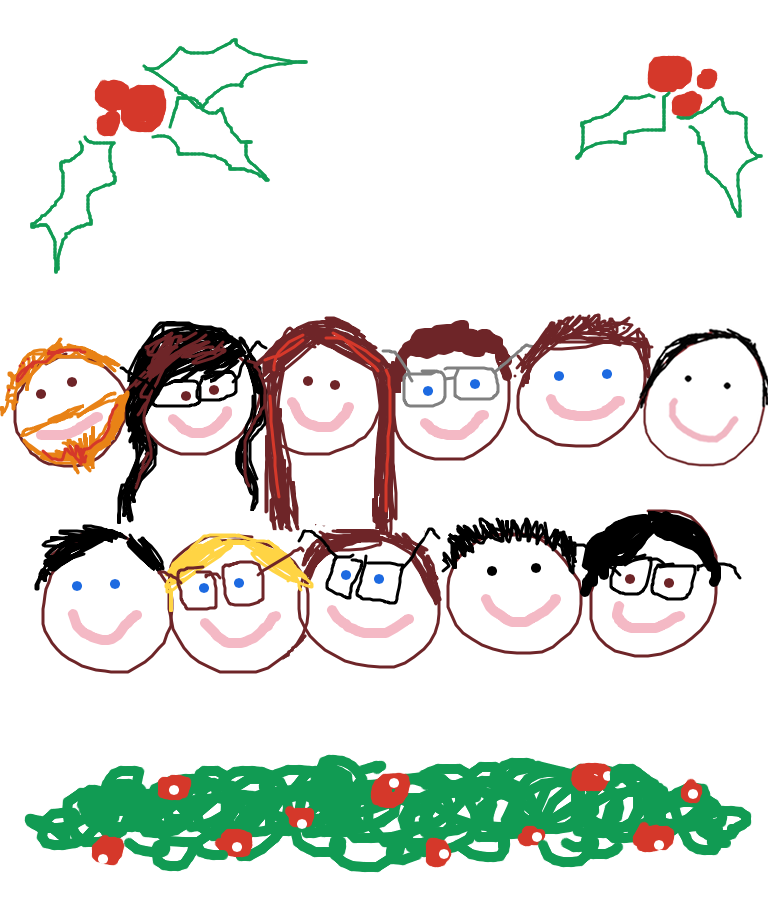
Need a bit of inspiration to get started? With the holidays just around the corner, it's a great time to send a handmade, festive greeting:


Or, perhaps your wit is better-expressed pictorially than textually. Use scribbles to send original comics to your friends, or generate a new meme:


Simple requests are that much more appealing from someone who puts in a bit of effort:


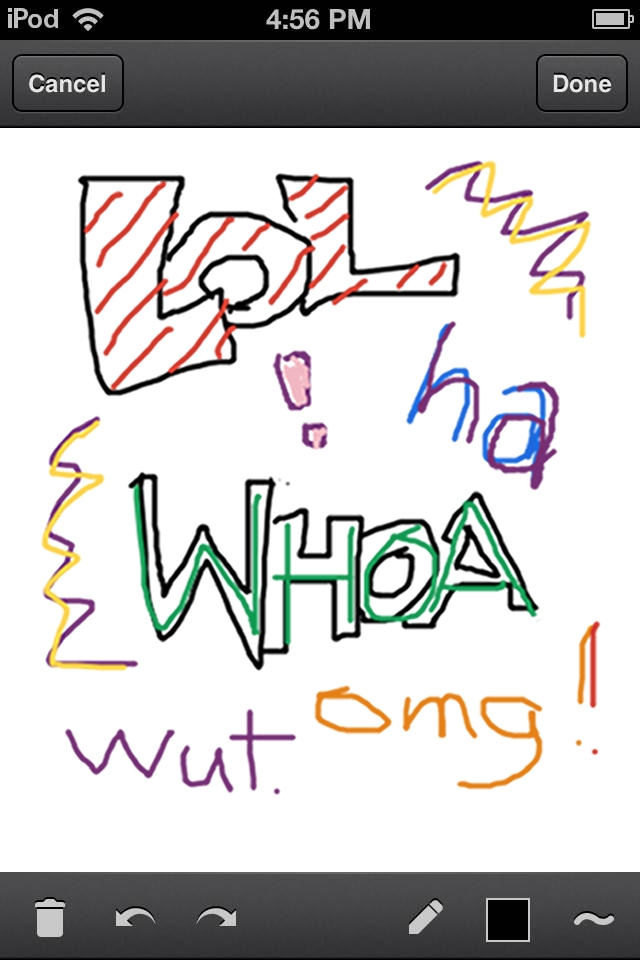
It's also great for simply emoting beyond the limitations of plain text:


At the end of the day, it's a blank canvas. What do you want to share? To get started, head to mail.google.com on your iOS 4+, Android 3.1+ or Playbook device, or download the Gmail app for iOS from the App Store today.

We want to see what you can do! Send your scribbles to gmailscribbles@google.com and then share them with the world using #GmailScribbles.*

Brought to you by the Gmail team. Happy Holidays!


*By emailing your scribble to gmailscribbles@google.com, you give us your permission to upload, share or reproduce your scribble both digitally and physically. Unfortunately, we will not be able to showcase all submitted scribbles, and will have to pick and choose amongst the ones that we receive. Remember: have fun and be cool about it - nothing offensive and nothing that violates the law. Thanks!

--
Posted By The Gmail Team to Official Gmail Blog at 12/19/2011 09:12:00 AM

--
You received this message because you subscribed to the Gmail Blog via email.
To unsubscribe, email gmail-blog-posts+unsubscribe@googlegroups.com. More info at http://groups.google.com/group/gmail-blog-posts?hl=en

Wednesday, December 14, 2011

Free calling within the US and Canada through 2012

When you absolutely, positively, have to call a land-line or cell-phone from your computer for FREE... :-)
I have used it and it does work. Nice they extended it to 2012...

---------- Forwarded message ----------
From: The Gmail Team <gmailteam@google.com>
Date: Tue, Dec 13, 2011 at 10:00 AM
Subject: [Official Gmail Blog] Free calling within the US and Canada through 2012
To: gmail-blog-posts@googlegroups.com


Posted by Vincent Paquet, Group Product Manager

As the holiday season approaches, we're happy to announce that we've extended free domestic calls within the US and Canada for 2012.

This is our way of helping you connect with friends and family across the country. And you can still call the rest of the world from Gmail at our insanely low rates.

--
Posted By The Gmail Team to Official Gmail Blog at 12/13/2011 09:00:00 AM

--
You received this message because you subscribed to the Gmail Blog via email.
To unsubscribe, email gmail-blog-posts+unsubscribe@googlegroups.com. More info at http://groups.google.com/group/gmail-blog-posts?hl=en

Monday, December 5, 2011

Seeing Gmail labels even on a small screen in new Gmail UI, courtesy of Gmail Blog

I like this blog; I have been using Gmail's new UI, and it achieves many of its goals on a small screen, but some things still annoy me. But this clarification addressed one of them, as seeing all my labels *including* my "Regression", label which is of course *very important* for me to see, even if all the messages are read!!! :-) It turns out that if you use labels a lot and chat not so much, this suggestion is a help:

" Best of all, you can easily adjust the balance between labels and chat to fit your own personal preference by dragging the divider between the sections up and down. "

It is a little elusive with the other auto-magic behavior of these regions, but I finally managed to grab it and adjust it.

I do love my Gmail, but sometimes one must take the bad with the good with new UIs... :-)

Cheers,
Connie "One man's bug is another man's feature" O'Dell
Sr. Verification Specialist
c.odell@co-consulting.net
303-641-5191
_____________________________________________
CO Consulting - Boulder, CO - http://co-consulting.net


---------- Forwarded message ----------
From: The Gmail Team <gmailteam@google.com>
Date: Mon, Dec 5, 2011 at 10:00 AM
Subject: [Official Gmail Blog] Designing Gmail's new left navigation
To: gmail-blog-posts@googlegroups.com


Posted by Jason Cornwell, User Experience Designer

One of our goals for the Gmail's new look was to make Gmail feel more like a native application with independently scrolling panels rather than a website that scrolls as a single page. This design approach brings with it many advantages: the search box and primary navigation are always in the same place, your inbox unread count is always visible, etc. As with any design decision there were challenges with making this change. People with lots of labels might have their chat contacts pushed entirely off the screen and those with gadgets, like the Google Docs or Calendar gadgets, might have to scroll the left panel past both the labels and the chat contacts in order to see them.

We went through a number of different design revisions to try and address these issues as elegantly as possible. We experimented with several accordion designs, which stack sections on top of each other but only allow one or two to be open at a time.
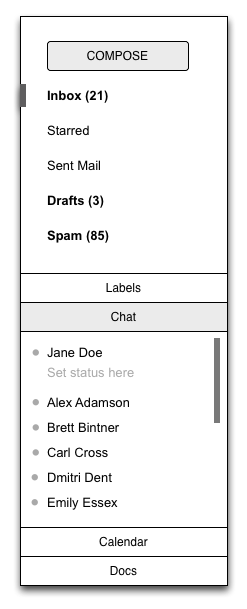

We also experimented with designs that involved only one scrolling region, but showed fewer entries per section.
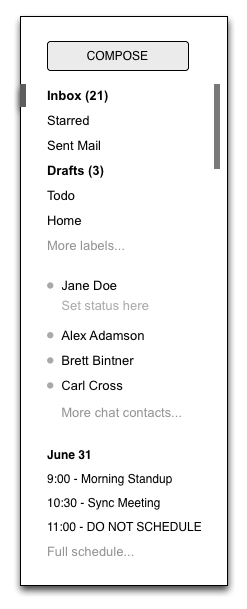

The final design combines aspects of both approaches. It is a ducking accordion design with only two sections. The bottom section has two tabs, one for chat and one for gadgets, with room to add more tabs in the future. The upper section, which contains labels, expands to show all of the visible labels when you mouse over it. This allows you to see chat contacts but still give quick access to the labels. Best of all, you can easily adjust the balance between labels and chat to fit your own personal preference by dragging the divider between the sections up and down.
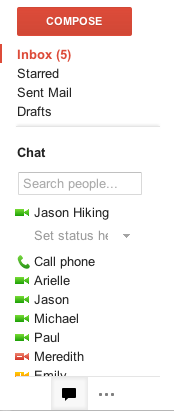

This design went through a number of iterations as well. We carefully adjusted the timing and triggering behavior of the expanding labels section to minimize accidental triggering. We noticed in usability testing that having the labels section expand when you are mousing over the Inbox label delete didn't work for everyone. We tweaked the system only to expand if you moved your mouse below the inbox label and keep it there for a moment. We also tried to ensure that if you are moving your mouse to click on a particular label or chat contact, that label or chat contact will never move out from under you.

The end result is a system that is more flexible, more responsive, and always keeps your chat contacts and unread count visible without adding a lot of complexity or requiring too much clicking around.

--
Posted By The Gmail Team to Official Gmail Blog at 12/05/2011 09:00:00 AM

--
You received this message because you subscribed to the Gmail Blog via email.
To unsubscribe, email gmail-blog-posts+unsubscribe@googlegroups.com. More info at http://groups.google.com/group/gmail-blog-posts?hl=en

Tuesday, November 29, 2011

Hide morning and night hours in Calendar, courtesy of Gmail Blog

From: The Gmail Team <gmailteam@google.com>
Date: Mon, Nov 28, 2011 at 12:20 PM
Subject: [Official Gmail Blog] Hide morning and night hours in Calendar
To: gmail-blog-posts@googlegroups.com


Posted by Oleksandr Kyreiev, Software Engineer

How often do you have something scheduled at 3am? What about 10pm? If the answer is almost never, you might want to try out the Hide morning and night lab in Google Calendar.


With a simple drag of a slider you can fold all those empty hours into a single row to set the time range you want to hide. The folded rows still show all your events, just in more compact form.


We're launching this in Calendar Labs (Settings > Labs) to gather feedback on how people end up using this feature. So don't forget to tell us what you think about this latest addition.

--
Posted By The Gmail Team to Official Gmail Blog at 11/28/2011 11:20:00 AM

--
You received this message because you subscribed to the Gmail Blog via email.
To unsubscribe, email gmail-blog-posts+unsubscribe@googlegroups.com. More info at http://groups.google.com/group/gmail-blog-posts?hl=en