Saturday, April 30, 2016

Sunday, April 24, 2016
Largest IRS Phone Scam Likely Exceeded 450,000 Potential Victims in March | Pindrop
Largest IRS Phone Scam Likely Exceeded 450,000 Potential Victims in March | Pindrop
I am so sorry to hear about the scale of this scam, it's horrible!
https://www.pindrop.com/irs-phone-scam-live-call_analysis/
I am so sorry to hear about the scale of this scam, it's horrible!
https://www.pindrop.com/irs-phone-scam-live-call_analysis/
Largest IRS Phone Scam Likely Exceeded 450,000 Potential Victims in March | Pindrop
Largest IRS Phone Scam Likely Exceeded 450,000 Potential Victims in
March | Pindrop
I am so sorry to hear about the scale of this scam, it's horrible!
https://www.pindrop.com/irs-phone-scam-live-call_analysis/
March | Pindrop
I am so sorry to hear about the scale of this scam, it's horrible!
https://www.pindrop.com/irs-phone-scam-live-call_analysis/
Oceanographer? Funniest Craiglist spam response so far
I am interested in buying it & willing to pay your asking price because I'm currently at work as i work at the sea as an oceanographer. Due to this i will not be able to come do the pick up myself and pay via cash. So i will be paying you via Check with the shipping fee included and after the Check clears & you have cash with you, i will ask my movers to come for the pick up at your preferred location. Do reply back with your full name and address in which the (Check) payment will be mailed to you. Regards.
--
--
Tuesday, February 2, 2016
Tuesday, January 26, 2016
Arduino + Chromebook - News - SparkFun Electronics
Arduino + Chromebook - News - SparkFun Electronics

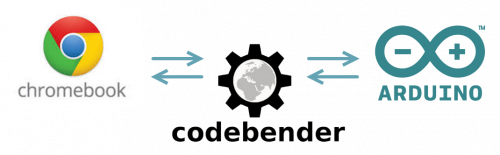
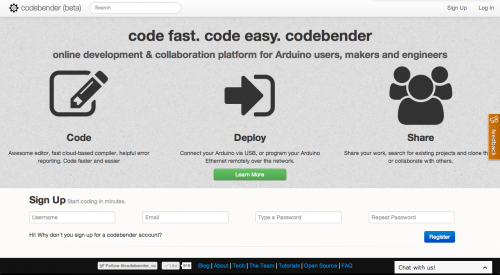
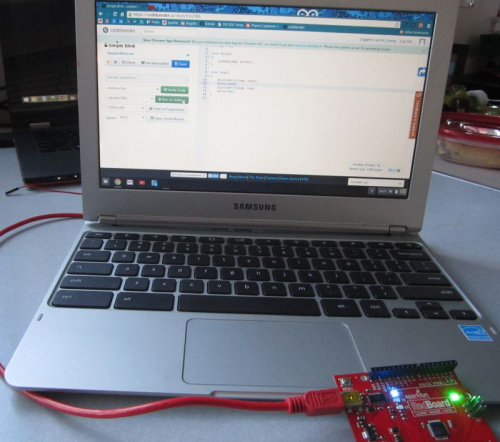
Arduino + Chromebook
With over 5 Million units sold in 2014 alone, Chromebooks are a growing trend among schools and homes. One of the biggest drawbacks to Chromebooks has been the inability to connect it to any hardware (i.e. Arduino) -- until now.
Where EdTech meets TechEd
With over 5 Million units sold in the past year, Chromebooks have been a growing trend among schools, homes, and small businesses. With the power of web-enabled tools (google docs), cloud-based storage, and fast internet connectivity, we are starting to see Chromebooks everywhere.
Many schools and school districts have been deploying tens of thousands of Chromebooksdistrict-wide in 1:1 initiatives to get computing and technology into the classroom. The days of a single computer in a classroom or a shared computer lab for the entire school are long gone. The EdTech departments of more and more schools are pushing to have devices like a Chromebook or iPad for every child in the classroom.
In my experience, I’ve found that Chromebooks are amazing. They have a fantastic battery life, quick boot-up time, and an entire suite of apps and tools – not to mention they are thin and extremely lightweight. However, for the Maker / Tech Ed / Electronics Enthusiast, one of the biggest drawbacks to Chromebooks has been the inability to connect it to any hardware (i.e. Arduino) – until now.
Codebender + Chromebook

The folks at codebender just released the codebender plug-in for Chromium OS / Chromebooks. If you’ve never heard of codebender, it is a cloud-based Arduino IDE. They handle all of the drivers, libraries, and updates on their end so that you don’t have to worry about it. Simply write your code, click upload and you’re done!
A while back, we posted a short overview of alternatives to the standard Arduino IDE. Codebender was at the top of that list.

This has been a big gap in what we have been able to do with Chromebooks. With this latest release, you can now program any Arduino device through codebender’s awesome web interface on your chromebook.
I just happen to have a chromebooks sitting around here in the office, so I decided to give it a try. Before I was able to install the plugin, I did have to update the operating system on my machine first. The full update took about 5 minutes to complete, but after the update was complete, codebender prompted me to install the plugin for Chrome, and that was it!
Click here for instructions for your browser plug-in.
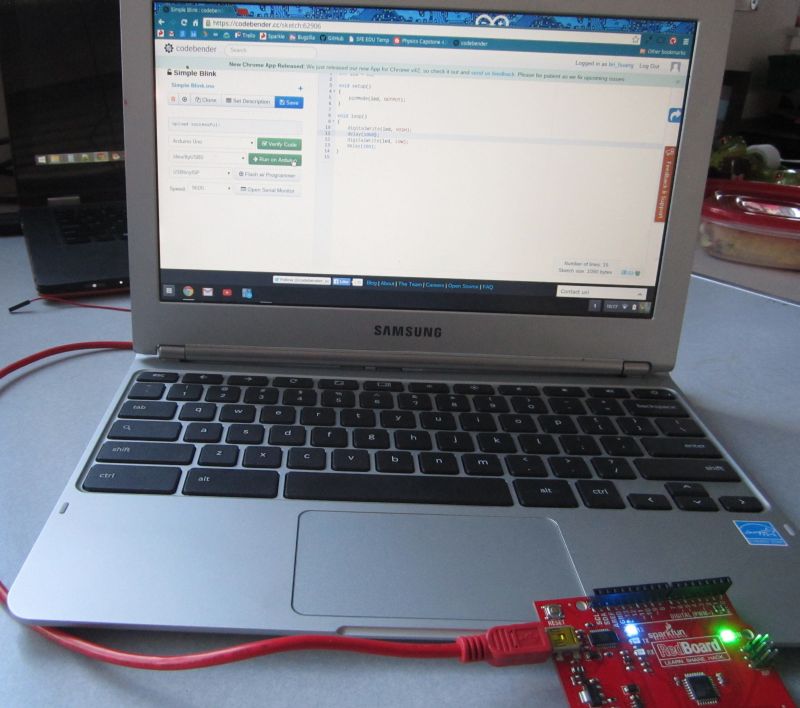
This is amazing! Now, any of the Arduino sketches that I’ve been programming on my fancy laptop machine can now be done with this Chromebook! This is going to be a big game changer for a lot of schools and individuals with Chromebooks!
Give it a try!
Here’s a quick “Hello World!” blink sketch for you to try on your Arduino. If the plugin is installed and you have connected your arduino device to your Chromebook, you should see your COM port appear as something like /dev/ttyUSB#.
Let us know what you think. If you are one of the millions of chromebook owners, give it shot. Let the team at codebender know if you have any issues or problems at feedback.codebender.cc.
Comments and more:
Subscribe to:
Posts (Atom)